

Upload one file or a hundred. Fluen's multi-engine AI transcribes your videos with 99.2% accuracy, proper punctuation, named speaker labels, and clean formatting. Review in our editor, then export as plain text, SRT, or WebVTT.
No credit card required · Try it free
Welcome back to the show. Today we're diving into something a lot of creators struggle with.
Yeah, absolutely. The whole landscape has shifted dramatically in the last six months, and people are just now catching up.
And what would you say was the turning point for the team?








so when we first started looking at the data the patterns were really quite surprising um we didnt expect to see that kind of growth especially in the first quarter and uh what would you say was the turning point for the team I think it was when we realized the AI could handle the edge cases you know the ones that used to take us hours to process manually
When we first started looking at the data, the patterns were really quite surprising. We didn't expect to see that kind of growth, especially in the first quarter.
And what would you say was the turning point for the team?
— I think it was when we realized the AI could handle the edge cases, the ones that used to take us hours to process manually.
Drop your video files — one or a hundred. Fluen auto-detects the language and starts transcribing. Supports MP4, MOV, MKV, AVI, and more. Batch processing runs in the background.
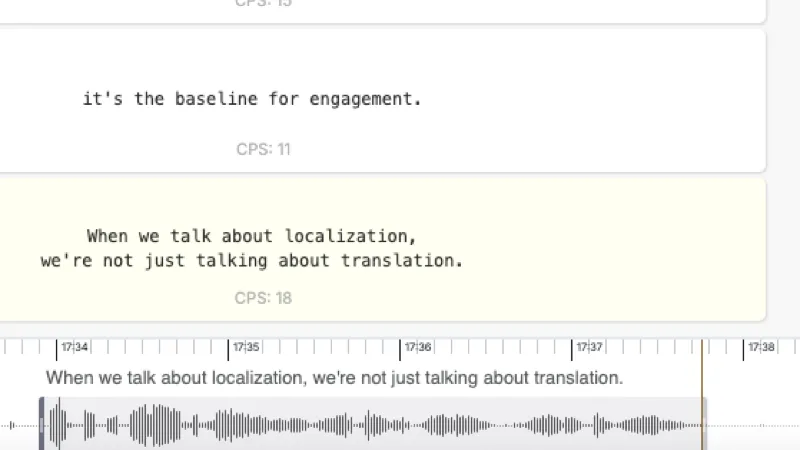
Your transcript appears in our built-in editor, synced to the video. Punctuation, named speaker labels, and paragraph breaks are already in place. Make quick edits if needed.
Download as plain text, SRT, or WebVTT. Need subtitles or translations too? They're one click away — no re-upload required.
We route your file to the best speech engine for your content type, language, and audio quality.
Detects every distinct voice in interviews, podcasts, and multi-person recordings. Each subtitle is assigned to the right speaker, with named labels rendered as [Speaker Name] at the start of the subtitle. Rename or reassign speakers in the editor before you export. Powered by an industry-leading speaker recognition model.
Upload and queue entire libraries. Fluen processes your files in the background — no babysitting required.
Define how domain-specific terms, brand names, and technical jargon should appear in your transcripts.
Review your transcript synced to the video. Edit text inline, adjust timing, and fix any rare errors.
Download as plain text, SRT, or WebVTT. Or continue straight to subtitles and translation — no re-upload.

Transcribe dailies, interviews, and raw footage. Searchable transcripts accelerate editing and review workflows.
Use AI-generated transcripts as a high-quality starting point. Your team reviews and refines — faster turnaround, lower cost.

Transcribe town halls, training sessions, and executive briefings. Make every meeting searchable and shareable.
Turn lecture recordings into study materials. Transcripts improve accessibility and help learners review at their own pace.

Turn episodes into show notes, blog posts, and searchable archives. Repurpose audio content across channels.
Transcribe depositions, focus groups, and field recordings. Accurate, timestamped transcripts for compliance and analysis.
Turn your transcript into perfectly timed subtitles. Style them, burn them in, or export as SRT and WebVTT.
Generate Subtitles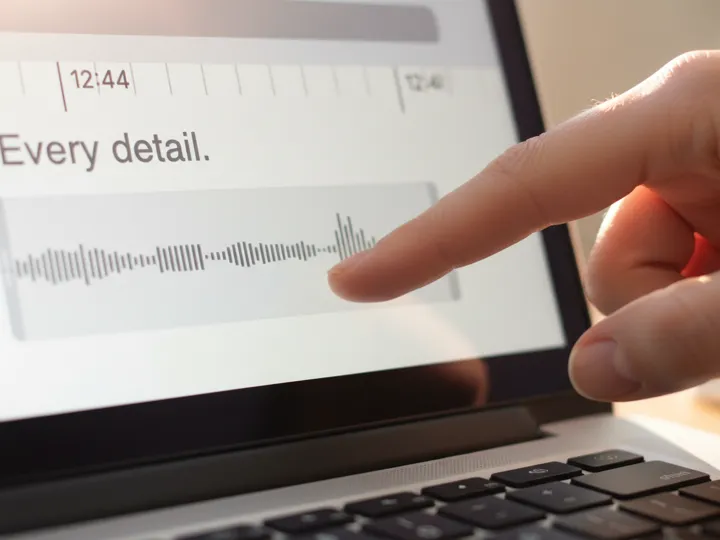
Translate your content into 50+ languages with context-aware AI. Natural, properly segmented results.
Explore TranslationFluen achieves up to 99.2% accuracy by routing your file to the best speech-to-text engine for your content type, language, and audio quality. Our multi-engine approach means you're not locked into a single AI — Fluen picks the one that performs best for your specific file. Transcripts include proper punctuation, capitalization, and paragraph breaks.
Fluen supports all major video formats including MP4, MOV, MKV, and AVI, as well as audio formats like MP3, WAV, M4A, and FLAC. If you already have subtitle files, you can import SRT files directly during the review step.
Yes. Fluen supports batch processing — upload as many files as you need and they'll be queued and transcribed in the background. You'll be notified as each transcript is ready for review. This is ideal for teams processing content libraries, meeting archives, or large video catalogs.
Yes. Fluen uses an industry-leading speaker recognition model to detect every distinct voice in your file. By default each speaker is labeled by name in [Speaker Name] format at the start of the subtitle. You can rename or reassign speakers in the editor before exporting, or switch to classic dash markers, or turn speaker detection off entirely. Especially useful for interviews, podcasts, meetings, and panel discussions.
You can export your transcript as plain text (clean, readable document format), SRT (with timestamps for subtitle use), or WebVTT (for web and HTML5 video). If you need subtitles or translations, you can continue directly from your transcript without re-uploading.
Most files are processed in minutes. A 60-minute video typically takes 3–5 minutes to transcribe. Processing time depends on file length, audio quality, and the AI engine selected. You'll be notified as soon as your transcript is ready for review.
Absolutely. Once your transcript is ready, you can generate perfectly timed subtitles or translate into 50+ languages — all from the same platform, with no need to re-upload your file. Learn more about subtitle generation →
Yes. You can sign up and process your first 3 files completely free — no credit card required. This gives you access to the AI transcription engines and the built-in editor so you can evaluate the quality before committing to a plan. See pricing →
Upload your first file free. No credit card, no commitment, no waiting.
Or compare plans