

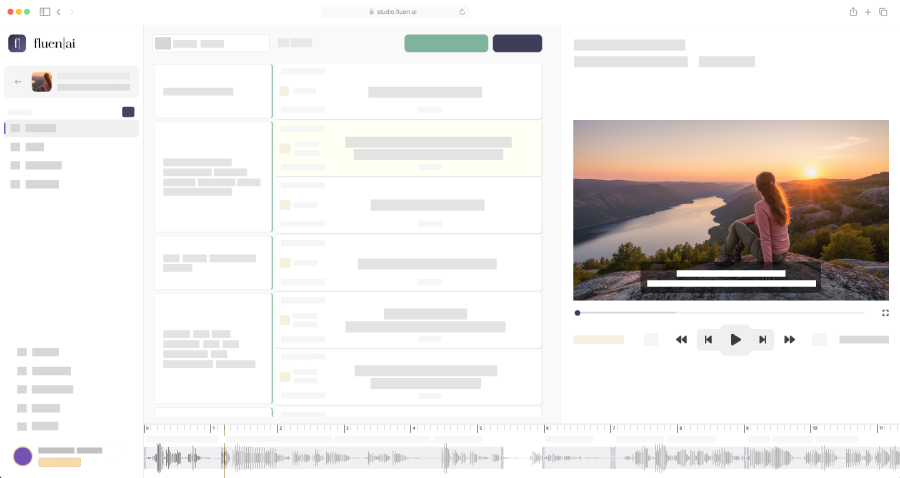
Upload any video or audio file and get accurate, well-timed captions in minutes. Then fine-tune in our professional editor with millisecond timing, AI tools, and real-time video preview. Or import your own SRT files. No installs required.
No credit card required
Adjust start and end times with millisecond precision using keyboard shortcuts or drag handles. See the waveform alongside your cues for intuitive visual editing.
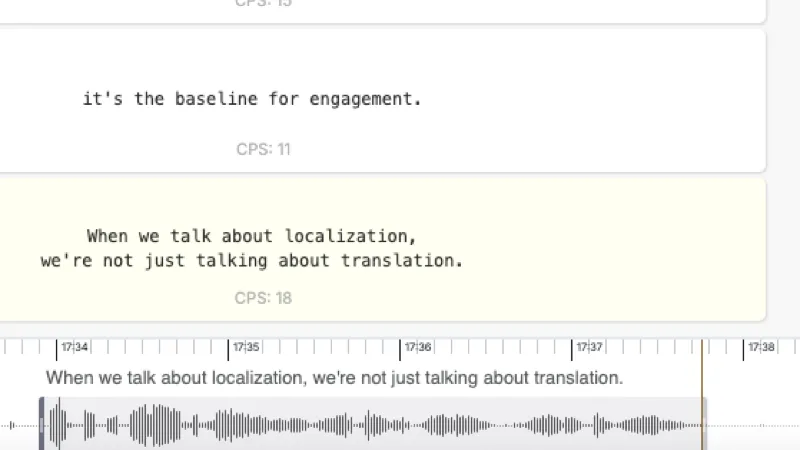
Watch your video with captions overlaid in real time. Scrub through the timeline and see exactly how your subtitles will appear to viewers.

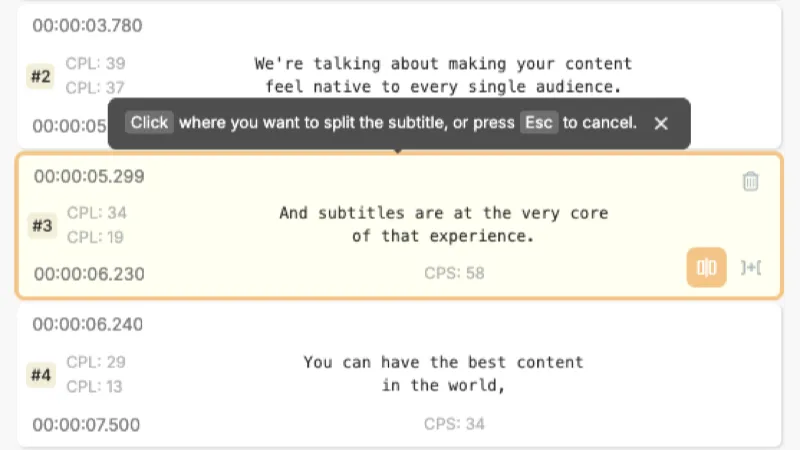
Split long cues into shorter segments, merge adjacent cues, or edit text inline. Smart segmentation suggestions help you maintain professional formatting.
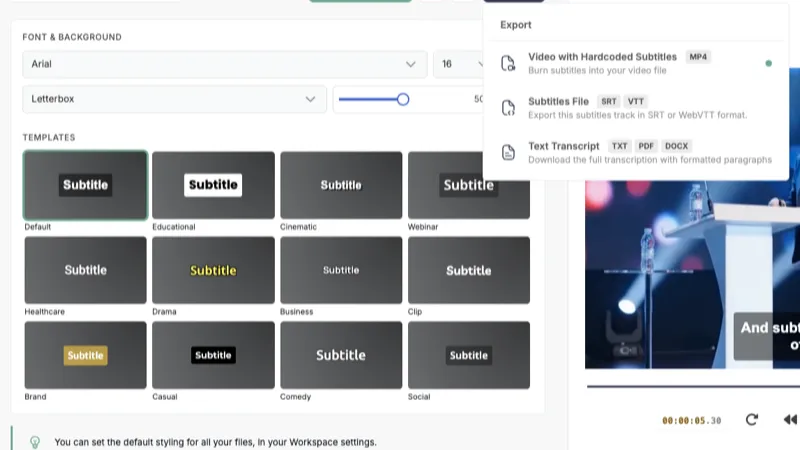
Full control over how your subtitles look. Choose fonts, colors, positioning, and backing plate styles. Preview changes live before exporting burned-in video.
Let AI refine your subtitle text: fix grammar, improve readability, condense long lines. You approve every change, staying in control while the AI does the heavy lifting.
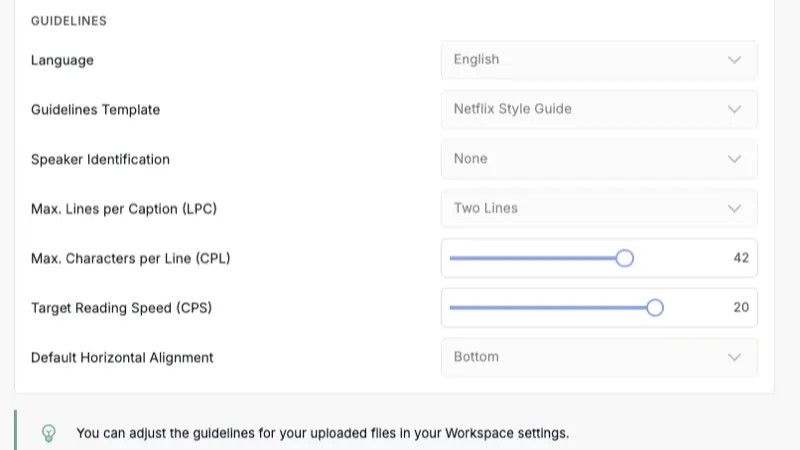
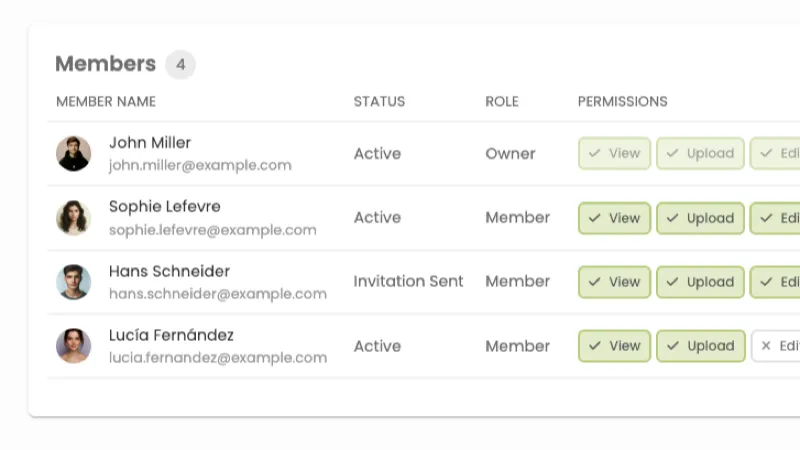
Work together on subtitle projects. Share workspaces with your team, assign roles, and manage permissions. All in the cloud, no file sharing required.
Watch your video with captions overlaid in real time. Scrub through the timeline and see exactly how your subtitles will appear to viewers. No separate player needed.
Let AI refine your subtitle text: fix grammar, improve readability, condense long lines. You approve every change, staying in control while the AI does the heavy lifting.
Full control over font, color, size, position, and backing plate. Preview your styling live, then export burned-in MP4s with captions baked directly into the video.
Export as SRT, WebVTT, TTML, SBV, ITT, STL, SSA, burned-in MP4, or plain text. Each format is optimized for its intended use case, from broadcast delivery to web publishing.
Upload your video or audio file to generate captions with AI. Already have your own subtitles? Import SRT files during caption review.
* Import SRT files during caption review to override AI-generated captions.
If you're used to Aegisub, Subtitle Edit, or other desktop editors, you'll feel right at home. Everything you know still applies, with cloud benefits on top.
Upload your video or audio file, or import existing SRT files.
Use familiar controls alongside AI-powered timing, wordsmith, and translation.
Download in any format, or share with your team for review.
Deliver broadcast-quality subtitle files with precise timing, professional formatting, and multi-format export.
Edit and translate subtitles across languages with AI assistance and team collaboration tools.
Caption your videos with a professional editor. No desktop software, no learning curve.
Make courses accessible and compliant with accurate, well-timed subtitles across all your training content.
Caption town halls, training videos, and internal comms. Ensure your message reaches every employee.
Turn episodes into searchable transcripts and video clips with captions for social media distribution.
Fluen is both. Upload a video or audio file and Fluen generates accurate, well-timed captions with AI. From there, you refine them in a fully featured editor with millisecond timing controls, cue splitting and merging, inline text editing, find and replace, video preview, and subtitle styling. You can also import your own SRT files if you already have captions. The editor works either way.
Yes. During caption review, you can import an SRT file to override the AI-generated captions. Your existing cues, timing, and formatting are preserved. From there, you can edit, restyle, and export in any supported format.
Fluen offers the same core editing capabilities (millisecond timing, cue manipulation, text editing) but runs entirely in your browser. No installation, no local file management. On top of that, Fluen adds AI-powered features like automatic transcription, smart segmentation, AI text refinement (Wordsmith), translation into 50+ languages, and team collaboration. If you're comfortable with desktop editors, you'll feel right at home, with more tools at your disposal.
Yes. Fluen supports shared workspaces where team members can access the same projects. You can assign roles and manage permissions so your team can review, edit, and approve subtitles together. You can also generate shareable public review links with automatic 72-hour expiry for external stakeholders and clients.
You can export as SRT, WebVTT, TTML, SBV, ITT (iTunes Timed Text), EBU STL, SSA, burned-in MP4 (with customizable subtitle styling baked into the video), or plain text transcripts. Each format is optimized for its intended use case.
Absolutely. The editor supports millisecond-level timing adjustments. You can type exact timestamps, use keyboard shortcuts for frame-by-frame nudging, or drag cue handles on the timeline. Waveform visualization helps you align captions to speech boundaries with precision.
Yes. You can sign up and process your first 3 files completely free, no credit card required. This gives you access to the editor and AI captioning engines so you can evaluate the quality before committing to a plan. See pricing →
Yes. If you don't have existing subtitle files, you can upload a video or audio file and Fluen will generate subtitles automatically using AI. The generated captions appear in the editor, where you can review, refine, and export them. Learn more about subtitle generation →
Import your files or generate from scratch.
Edit, style, and export, all in your browser.